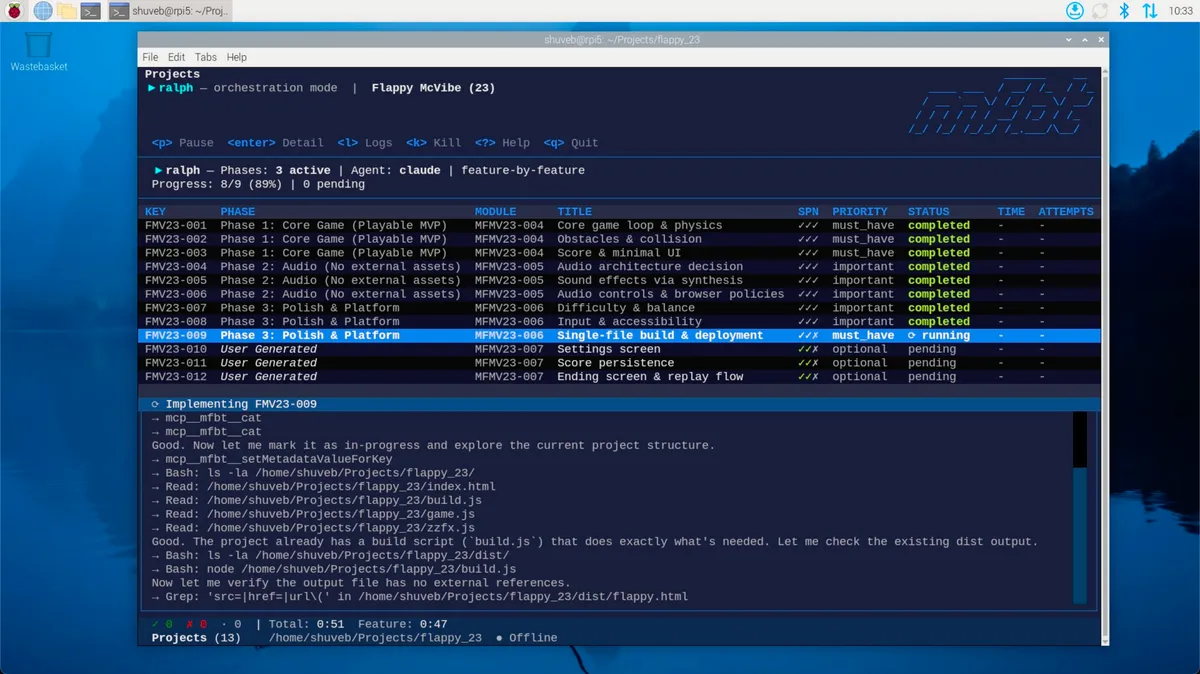
Ralph Wiggum loops are fun and no decent human being can deny that. They make you feel you have superpowers! But they can also be inefficient and wasteful if not set up properly. In this article, we’ll look at achieving efficiencies at 2 levels: the hardware level and the software level. At the hardware level, we’ll see how to set up a Ralph Wiggum Loop on a Raspberry Pi, so you can have an agent churning out code while your main computer is free to do other things. At the software level, we’ll see how to use the open source mfbt platform and its mfbt CLI tool to set up a Ralph Wiggum Loop that is efficient and actually gets you what you need.
Why the Pi?
The thought of an agent churning out code while you take a swim in the lake or while you’re asleep is pretty exciting. How about we take it up a notch and run the loop on a Raspberry Pi! This way your computer is free to do other things while the loop is running, and you can even set it up to run overnight. Plus, it’s a fun project to get your hands dirty with some hardware and see how it all works together. Not to mention, the Pi is cheap to both acquire and run.
Watch the video for an end-to-end walkthrough of setting up a Ralph Wiggum Loop on a Raspberry Pi using the mfbt CLI tool, which has built-in support for running a Ralph Wiggum Loop.
Setting Up a Ralph Wiggum Loop on a Raspberry Pi with mfbt CLI
The mfbt’s CLI tool is a general CLI and TUI tool for the mfbt service. It has a built-in support for running a Ralph Wiggum Loop.
The Four Pillars of a Ralph Wiggum Loop and mfbt CLI
To achieve a successful outcome that actually meets your needs, there are four pillars that you need to have in place:
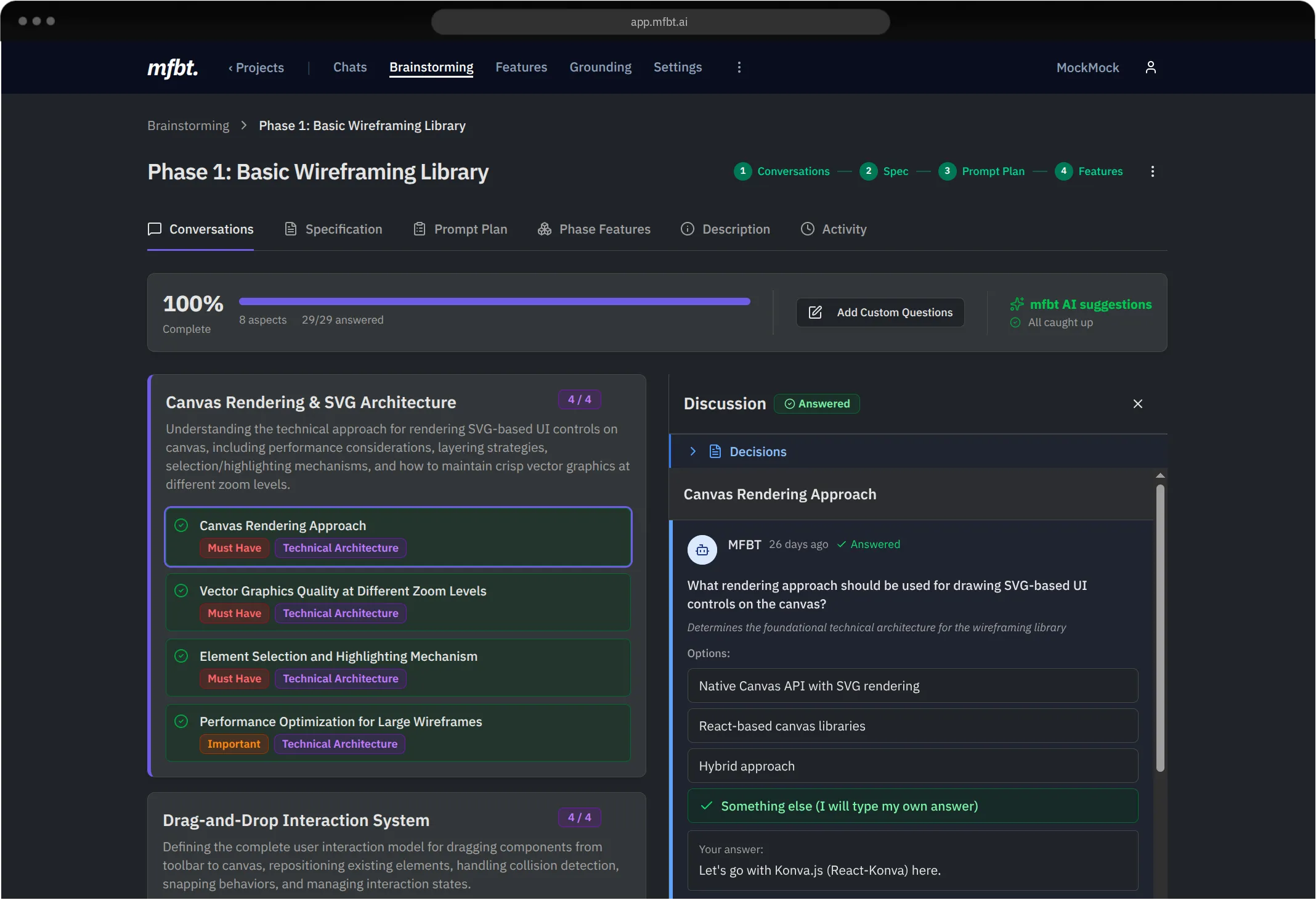
- The Spec is Clear and Detailed: Your spec needs to be clear, unambiguous and as detailed as possible, broken down into right-sized chunks. LLMs are eager — leave out details and they’ll fill in the gaps with their own assumptions. With mfbt’s Brainstorming and Collaboration features, you collaborate with both your team and mfbt AI to come up with a clear and detailed spec that the loop can work with. What’s more, mfbt’s agents break down the spec into right-sized chunks and create a task list for the loop to work through.
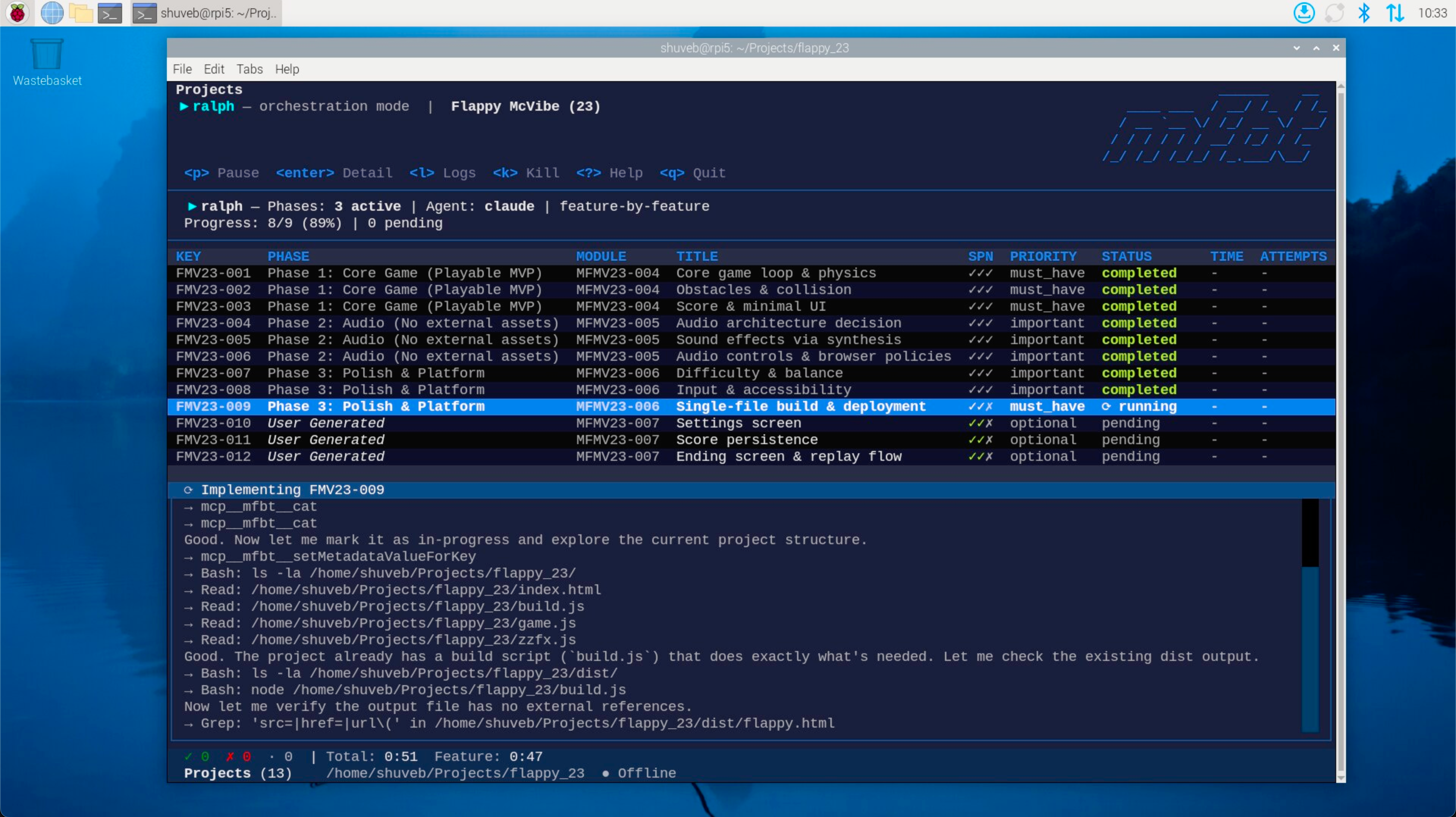
- Completion Communication: There needs to be a mechanism for the loop to know when a task is completed successfully and to take corrective action if it wasn’t — whether that’s retrying or moving on to the next task. mfbt CLI first checks the mfbt service to figure out which features are not built yet. It then invokes the coding agent on the Raspberry Pi to work on the next task in the list. Once the agent completes a task, it reports back to the mfbt service, which the mfbt CLI uses to determine the next steps.
- Context Resets and Persistent Memory: The coding agent needs fresh context windows to avoid summarization degradation, but also needs persistent memory to remember what it built and how, so it can hit the ground running each iteration. mfbt CLI invokes the coding agent with a fresh context window each time. As for persistent memory, mfbt’s MCP server instructs the coding agent to report back to it with implementation notes after each task is complete. Once implementation notes are received for each feature, a Grounding file agent runs in mfbt to update an
agents.mdfile with the implementation notes, which the coding agent can then refer to in future iterations. - The Agent’s Feedback Loop: The agent needs to evaluate its own work — through build logs, test results, browser console logs, screenshots and more — to ensure quality without human supervision. As you’ll see in the video, on the Raspberry Pi, we set up the Chrome DevTools MCP server so Claude Code can check its own work. Chrome isn’t available on the Pi, but it turns ous the DevTools MCP server can be made to work with the Chromium browser, which is available on the Pi.
Move from Vibe Coding to Vibe Engineering with mfbt
While the idea of a Ralph Wiggum Loop is fun, the real challenge is in getting the spec to a level where not just you, but you team want. Decisions about products are seldom made by one person. They are usually made by a team of people, which means that the spec needs to be at a level where not just you, but your team is happy with it. This is where mfbt’s Brainstorming and Collaboration features come in. With mfbt, you can collaborate with both your team and mfbt AI to come up with a clear and detailed spec that the loop can work with. This way, you can move from vibe coding to vibe engineering, where the whole team is involved in the decision making process and everyone is on the same page about what needs to be built.
Sign up for mfbt and get started today or leave us a star on Github!